The Day is Here. You Can’t Trust Your Own Eyes or Ears

Here’s why traditional enterprise security awareness training is failing against AI—and how to build a true Human Firewall.

We used to have it easy.

In the old days of cybercrime, the bad guys gave themselves away. Their emails had typos. The “CEO” asking for a wire transfer was emailing from a Gmail account. The Nigerian Prince was… well, a Prince.

Those days are over.

Phishing simulations are often just compliance theater. They might check a box, but they don’t solve the real problem: humans are hardwired to trust, and modern attacks are designed to exploit that instinct. Humans are blinded by trust.

As a strategic advisor to CTOs, CIOs and CISOs, I’ve been reviewing the threat landscape, and the reality is stark: We have entered the era of the “perfect lie.”  And virtually none of you are prepared for this.

AI-driven social engineering has changed the rules of the game. It’s no longer just about hacking a firewall; it’s about hacking people using tools that are indistinguishable from reality.

If you are looking to update your cybersecurity governance or executive protection protocols, here are three juicy (and terrifying) realities that every leader needs to wake up to:

1. The “Ghost” in Your System (Synthetic Identity Fraud)

Imagine a user who passes every background check. Their social security number is real. Their credit history is real. But they don’t exist.

AI is now being used to create synthetic identities—”Digital Frankensteins” stitched together using real stolen data mixed with fake AI-generated profiles. These accounts often bypass traditional identity verification checks (KYC) because the data points align perfectly.

By the time you realize you’ve onboarded a ghost, the data breach or financial loss has already occurred. Fraud prevention now requires more than just checking a database; it requires analyzing behavior.

2. Your Boss’s Voice isn’t Your Boss (Deepfake Detection)

We are seeing a massive rise in executive impersonation attacks.

Bad actors are using deepfake technology to clone a CEO’s voice with terrifying accuracy, eliminating the “audio jitter” we used to listen for.

Consider this scenario: A finance director gets a call from the CFO. It sounds like her. She uses her usual slang. She sounds stressed about a deadline. She initiates a Business Email Compromise (BEC) style request via voice. If your team’s only defense is “recognizing her voice,” you will lose.

Standard security awareness training rarely covers this. We (We as in You 🙂 need specialized training on verifying authenticity in high-stakes media scenarios.

3. The “Shadow” in the Supply Chain

Even if your house is clean, what about your vendors? Third-party risk management is now a critical blind spot.

“Shadow AI” is the unauthorized use of public AI models by vendors or subcontractors, creating data leakage risks when private client data is processed without oversight

Shadow AI usage happens when your vendors feed your private data into public AI models to save time. It’s a data leak waiting to happen. Executives must now audit their supply chain to ensure clients’ data isn’t being used to train public models.

The C-Suite AI Defense Checklist; a “Zero Trust” Human Protocol

This sounds counter-intuitive, but the best defense against high-tech AI is low-tech humanity.

To secure your organization, you need to implement a Zero Trust security model for human interactions, not just when clicking links or downloading files or opening emails. This goes beyond compliance videos; it is about “defensible security”. Ready to move from “awareness” to “action”? Here is your immediate governance checklist to harden your organization against AI-driven fraud:

Implement Out-of-Band Verification: If the “CEO” calls with an urgent request, do you have an agreed-upon, offline “safe word” or “challenge-response” protocol?. Do not rely on digital signals alone. Implement analog “challenge-response” protocols (like a spoken safe word) for all high-value transactions.

Empower the “Human Firewall”: Does your newest employee feel safe challenging a request from the C-Suite? If they are afraid of retribution, your security culture is broken. Create a governance policy that empowers employees to challenge C-suite requests without fear of retribution.

Establish “Out-of-Band” Verification: Audit for “Shadow AI”: Evaluate your supply chain. Ensure third-party vendors aren’t feeding your data into public AI models, which creates massive data leakage risks.

Run an AI Tabletop Exercise: Don’t wait for a crisis. Simulate an AI-driven PR event or executive impersonation attack to test your incident response readiness today.

Assess Authentication Vulnerability: Review your current workflows (like voice biometrics or SMS OTP) and specifically test them against modern AI bypass tools.

What is the “Strategic Human Firewall™”?

Think of a “Firewall” in a computer as a gatekeeper that stops viruses from getting in. A Strategic Human Firewall is simply realizing that software can no longer stop every attack, so you and/or those in your charge have to become that gatekeepers.

In the past, we relied on technology to block scams, or we looked for obvious mistakes like bad spelling. The Strategic Human Firewall™ mindset accepts a new reality: The bad guys now use smart tools (AI) to tell perfect lies. They can fake voices, write perfect emails, and create fake people.

Being a Strategic Human Firewall means you stop trusting digital messages blindly and start verifying them personally.

1. The Mindset in the Professional Environment (At Work)

At work, this mindset is about shifting from “following orders” to “protecting the business.”

  • You Don’t Just “Click and Obey”: If you get an urgent email or phone call from your boss asking for money or files, you don’t just do it. You pause. You realize that AI can clone your boss’s voice perfectly.
  • The “Culture of Courage”: You are willing to “challenge” the boss. You might say, “I need to call you back on your cell just to confirm this is you.” This isn’t being rude; it’s being safe.
  • Looking for the “Perfect” Lie: You understand that scammers can create fake clients (“Frankenstein Users”) that look real on paper. You look deeper than just the surface application to see if a person is real.
  • Checking Your Partners: You don’t just worry about your own computer; you check if the companies you hire (vendors) are being careless with your data, ensuring they aren’t feeding your secrets into public AI tools.

2. The Mindset in the Personal Environment (At Home)

This same mindset protects your family and your bank account.

  • The Family “Safe Word”: If a family member calls you sounding panicked (e.g., “I’m in jail, send money!”), you don’t panic. You know AI can fake their voice. You ask for a secret “safe word” that only your family knows to prove it’s really them.
  • Skepticism of “Digital” Proof: You realize that just because someone sends you a picture or a video, it doesn’t mean it’s real. You rely on verifying things offline (like calling a known number) rather than trusting what you see on a screen.
  • Being the Advisor: You don’t just protect yourself; you help your friends and family understand these risks without scaring them, teaching them how to be safe too.

In short: The Strategic Human Firewall™ mindset is the switch from “I trust what I see and hear” to “I verify everything because technology can fake anything.”

The Bottom Line:

Technology alone can’t save us from technology. Technical perimeter defenses are no longer sufficient. We have to become strategic advisors who translate these technical AI threats into business risk metrics.

A reformed criminal (is he really?) can’t teach you governance. Too often, these presentations are just ‘hacker magic shows’—entertainment disguised as training. They focus on the presenter’s ego, not your employees’ behavior. To protect your organization, you need structural change, not storytime.

Ultimately, reliance on standard software and basic compliance training is a liability. The future demands that we stop merely checking boxes and start building a Strategic Human Firewall™.

Robert Siciliano CSP, CSI, CITRMS is a security expert and private investigator with 30+ years experience, #1 Best Selling Amazon author of 5 books, and the architect of the CSI Protection certification; a Cyber Social Identity and Personal Protection security awareness training program. He is a frequent speaker and media commentator, and CEO of Safr.Me and Head Trainer at ProtectNowLLC.com.

The Day My Devices Gossiped About Me (And Gave Me Chills)

I’ve spent thirty years in cybersecurity. I’m a veteran of thousands of live stages, warning wealth managers clients and CEOs about fraud, identity theft, and the dark corners of the internet. It takes a lot to rattle me. Frankly, I’ve seen it all.

But today, I got genuine chills. CHILLS!

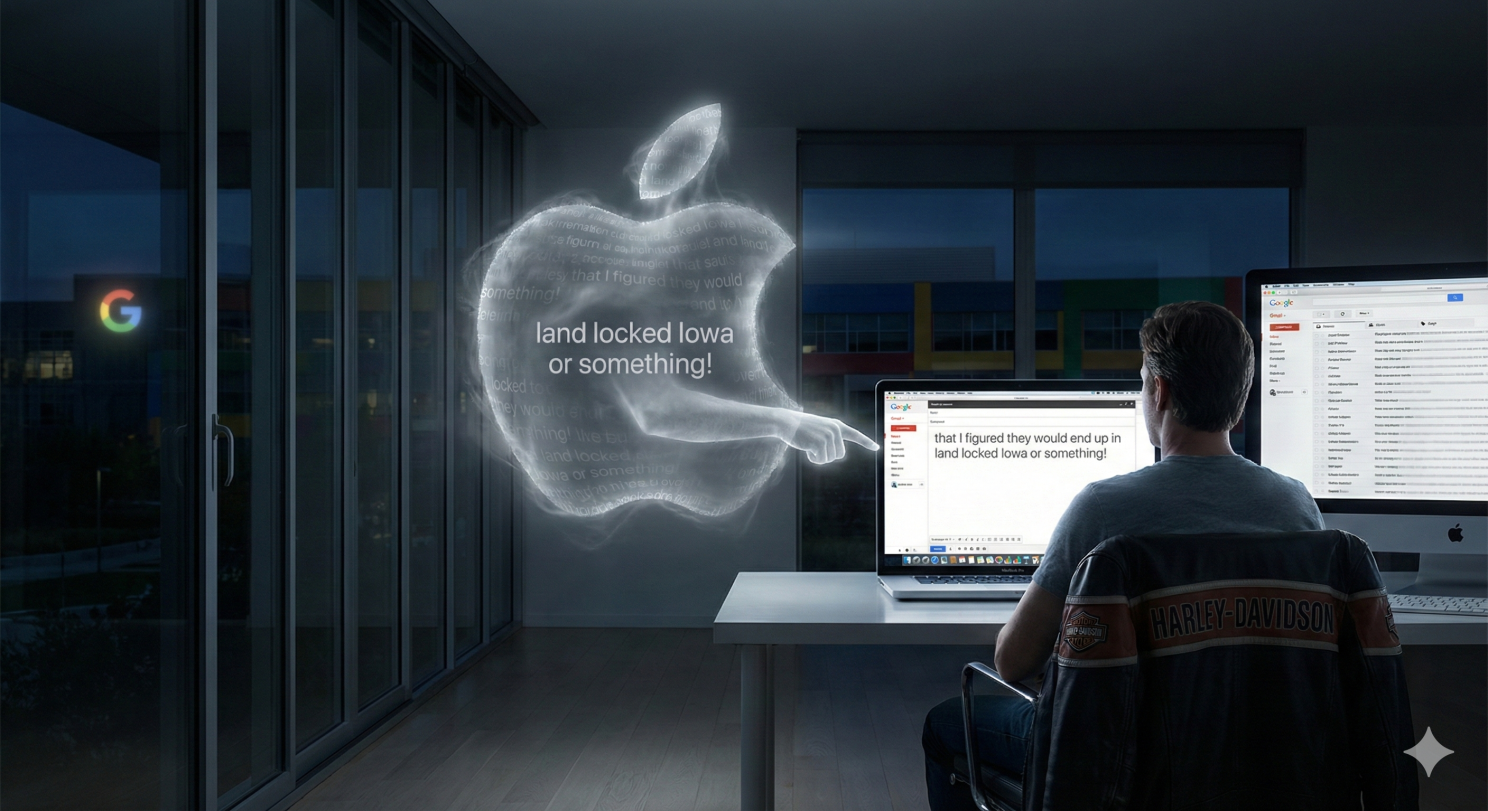
It happened in the span of about sixty seconds, bridging two devices and 3 tech giants that aren’t supposed to talk to each other between my eBay messages, my 2 Apple devices, and my Gmail.

Here is the scenario: I was on my iPhone, using the secured eBay app. I was messaging a buyer and typed out a very specific, unique sentence. I typed exactly: “I figured they would end up in land locked Iowa or something!” (I sold two colossal lobster claws that I caught about 15 years back). This is my girls with the Dude. Long live His Dudeness.

Article content
El Duderino and the Cherubs.

I hit send, put down my phone, and spun around in my chair to my Mac. I opened up Gmail to write a completely unrelated email to a totally different person.

I typed the first four words: “I told the seller…”

And suddenly, there it was.

Ahead of my cursor, in ghostly gray text, in my Gmail on my Apple in my Mac again a totally different device the Google’s predictive text machine (from what I thought) offered to finish my thought: “…that I figured they would end up in land locked Iowa or something!”

I froze.

How the hell did that happen? HOW!!!! OMG! Do you see what just happened here?

My immediate reaction was the same as yours would be: Google is spying on me. How else could Gmail on a Mac possibly know what I just privately typed inside the eBay app on an iPhone? It feels like a violation. It feels like someone is standing directly over your shoulder, reading your private thoughts across platforms.

But as a security professional, I know that data doesn’t just teleport. It doesn’t magically jump from an isolated iPhone app into a Google browser session ON A MAC. There has to be a pipe connecting them.

I put on my forensic hat. I ruled out the easy stuff. I hadn’t copied and pasted the text. The clipboard wasn’t involved, no copy paste. Handoff is turned off on the iPhone. It doesn’t talk to any of my Mac devices. I checked my inbox—eBay hadn’t sent an email confirmation that Google could have scanned. There was no obvious digital trail. NOTHING!

So, I dug deeper. I had to find the invisible link between these two separate worlds. And what I found was a smoking gun that completely changed how I view device “intelligence.”

I was blaming the wrong suspect.

When I saw that gray predictive text in Gmail, cognitive bias kicked in and I of course assumed it was Google spying. But it wasn’t.

I was standing in Google’s house, but it was Apple’s ghost haunting the room.

Here is the simple truth of what happened:

When I typed that specific sentence about Iowa on my phone, “Predictive Text” was turned on in my iPhone settings. My iPhone keyboard didn’t just process the letters; it learned the pattern. It decided, “Hey, this is a unique phrase Robert is using. I’ll remember that to help him later.”

Article content

Because both my iPhone and my Mac are logged into the same iCloud account, my devices gossip with each other via Apples cloud, even though Apple’s “Handoff” is turned off. They are constantly synchronizing my habits for the sake of convenience.

The iPhone whispered that new “Iowa” sentence up to the iCloud, and iCloud immediately whispered it down to my Mac’s operating system in Gmail.

When I started typing “I told the seller…” in Chrome, it wasn’t Gmail offering the suggestion. It was my Mac’s own keyboard brain overlaying that ghostly gray text right inside of Gmail.

It was an optical illusion. It looked like corporate surveillance by Google, but it was actually ecosystem convenience by Apple, working exactly as designed—but working perhaps a little too well.

Why does this matter?

Because we constantly trade privacy for convenience without realizing the cost. We want our devices to “know” us so we can type faster. But we forget that “knowing us” means constant, invisible recording of our unique phrases and habits across every single screen we touch.

You weren’t hacked. No one was “listening” in the traditional, nefarious sense. Your own keyboard, Apple, was just being overly helpful, and your devices were gossiping behind your back.

We live in a world where our digital ecosystem is often faster than our own thoughts. If you want to exorcise that particular ghost, you have to go into your iPhone settings and hit “Reset Keyboard Dictionary” and turn off predictive text by going to “General” and Keyboards in your iPhone or your Mac. Or both.

Honestly, as upset as I was, I’m OK with it. Just a little freaked out about it. I will say, though, if you are up to no good, and sharing devices with family or coworkers, between Apples ecosystem and Google’s ecosystem, the truth will come out through Apple and Google’s being helpful and your words in the form of predictive text being used against you.

The Security Takeaway “Privacy vs. Convenience.”

  • The Myth: “Apps are listening to me.”
  • The Reality: “My devices are gossiping with each other.”

Until then, remember: if you type it on one screen, assume every other screen you own knows about it seconds later.

Robert Siciliano CSP, CSI, CITRMS is a security expert and private investigator with 30+ years experience, #1 Best Selling Amazon author of 5 books, and the architect of the CSI Protection certification; a Cyber Social Identity and Personal Protection security awareness training program. He is a frequent speaker and media commentator, and CEO of Safr.Me and Head Trainer at ProtectNowLLC.com

Stop the Slop: A Consumer’s Guide to Surviving the Flood of AI Slop and Synthetic Deep Fakes

What is a Deepfake

The term “deepfake” is a blend of “deep learning” a form of Artificial Intelligence and “fake.” A deepfake is synthetic media (video, image, or audio) that has been digitally manipulated or entirely generated using sophisticated AI technology to convincingly show a person appearing to say or do something they never actually said or did.

YOU WILL Get Suckered By An AI-enabled DeepFake

What is AI Slop

The term “AI slop” refers to digital content—such as text, images, videos, or audio—that has been created using generative artificial intelligence, and is characterized by a lack of effort, quality, or deeper meaning, often produced in an overwhelming volume.

It has a pejorative connotation, similar to the way “spam” is used to describe unwanted, low-value content.

AI slop is viewed as an “environmental pollution” problem for the internet, where the costs of mass production are nearly zero, but the cost to the information ecosystem is immense.

AI slop contributes significantly to the general erosion of trust in the internet by blurring the line between human-created authenticity, machine-generated noise and fraud.

Lies! It’s ALL Damn Lies!

AI slop and deepfakes are fundamentally similar because both are forms of synthetic media created by the same powerful generative AI models (text-to-image/video). They both contribute to a widespread erosion of trust online by blurring the line between human-made content and digital fabrication. While a deepfake is a targeted, high-quality forgery designed to maliciously deceive (e.g., faking a political speech), AI slop is low-quality content mass-produced out of indifference for accuracy or effort, often just for clicks.

Nevertheless, both types of content flood the digital ecosystem, making it increasingly difficult for users to distinguish authentic, verified information from machine-generated noise.

Key Characteristics of AI Slop

  • Low Quality/Minimal Effort: The content is often generated quickly, with little to no human review for accuracy, coherence, or originality.
  • High Volume/Repetitive: It’s mass-produced to flood platforms, often prioritizing quantity and speed over substance.
  • Driven by Profit: It is frequently created for “content farming,” designed to manipulate search engine optimization (SEO) or social media algorithms to generate ad revenue or engagement.

Examples of AI Slop

  • Images: Surreal or bizarre images (like the viral “Shrimp Jesus”), low-quality or inconsistent stock photos, or social media posts featuring images with subtle flaws (like extra fingers or garbled text).
  • Text: SEO-optimized articles that are vague, repetitive, or inaccurate; mass-produced low-effort blog posts; or entirely AI-written books.
  • Social Media: Fake social media profiles, or sensational, low-effort videos and posts designed purely for clickbait and engagement.

The general concern is that the rapid proliferation of AI slop is polluting the internet, making it harder to find high-quality, authentic human-created content and blurring the lines between real and fabricated information.

The contribution to mistrust is not primarily about malicious deepfakes (though that is a related trust problem); it’s about the sheer volume and mediocrity of content that makes the web unreliable.

AI Slop Drives Mistrust

Blurring Reality and Fabricating “Truth”

  • The Problem of “Careless Speech”: AI models are built to generate text that sounds plausible and authoritative, not necessarily text that is truthful. AI slop is often created with indifference to accuracy, meaning it presents subtle inaccuracies or outright falsehoods with complete confidence.
  • Viral Misinformation: Because AI can produce content so cheaply and quickly, it allows for the mass creation and distribution of misleading content (like fake images during a natural disaster or absurd celebrity claims) that can easily go viral before being fact-checked.
  • Normalizing Fake Content: When users are constantly exposed to AI-generated images, videos, and articles that are “just good enough,” they become desensitized. The constant exposure makes the audience question the origin of all digital content, leading to a state where nothing can be fully trusted until proven otherwise.

Undermining Authority and Credibility

  • Degrading Search Results: AI slop sites, designed only to manipulate SEO, push genuinely high-quality, researched, and expert human content down the rankings. When you search for vital information and the top results are vague, repetitive, or inaccurate, you lose faith in the search engine’s ability to act as a reliable guide to the web.
  • The “We Don’t Care” Signal: When a brand, news site, or business publishes content that is clearly generic, full of buzzwords, or poorly edited because it was quickly spun up by AI, it sends a message of complacency and low effort. This DILLIGAF attitude damages brand trust and suggests the company doesn’t care enough to communicate with intention.
  • Fake Reviews and Social Proof: AI slop is used to generate fake reviews and create inauthentic social media engagement (bots commenting “great photography” on a thousand AI images). This corrupts the systems of social proof—like ratings, likes, and comments—that people rely on to judge quality, making it impossible to trust whether a product or a trend is genuinely popular.

The “Enshittification” of the Internet

“Enshittification” is a term coined by writer and activist Cory Doctorow. The widespread adoption of AI slop is accelerating what some critics call the enshittification of digital platforms—the degradation of services as platforms prioritize profit (through mass-produced, algorithm-friendly content) over user value.

  • As the internet fills with more and more machine-generated “junk,” human creators struggle to be seen, and the entire digital environment becomes less useful and more frustrating.
  • This cycle reinforces the idea that the internet is increasingly becoming an unpleasant, unreliable space designed to farm engagement rather than to connect, inform, or entertain in a meaningful way.

The core of the mistrust is the inability to answer two simple questions with confidence: “Did a real person make this?” and “Is this true?”

Protect Yourself: Digital Literacy Matters

Protecting yourself from AI slop and deepfakes requires a dual approach: critical consumption (protection) and responsible behavior (not spreading). The core defense is applying strong media literacy skills to everything you see online.

Critical Consumption (Protection)

Protecting yourself from the proliferation of AI slop and deepfakes requires developing strong habits of critical consumption. The core practice is to refuse to blindly trust what you see and to develop systematic ways of verifying authenticity. This involves checking the source—prioritizing content from established, fact-checked news outlets over anonymous or clickbait accounts that have a financial motive to spread low-effort content.

You must inspect the media itself by slowing down and looking closely for tell-tale AI errors, such as distorted hands, missing jewelry, or unnatural movements in videos.

Source Verification:

  • Check the source, not just the content. Prioritize content from established, reputable news and expert sources.
  • Trace the origin. Use reverse image/video search tools (like Google or TinEye) to find the original source and context of the media.

Inspecting Media and Spotting the “Tells”:

Slow down and inspect closely. Look for visual artifacts that AI generators frequently get wrong.

Look for anomalies

  • Photos: like distorted hands, extra or missing fingers, melted or smudged background details, unnatural shadows, or inconsistent jewelry.
  • Videos: For videos, watch for robotic, jerky, or unnatural body movements, and any lip-syncing issues.

Fact-Checking and Skepticism:

  • Assume it could be fake. If a piece of content elicits a strong emotional reaction (shock, anger, or awe), immediately pause and assume it is manipulation bait.
  • Verify claims independently. Cross-check the story with multiple, credible, independent news organizations before accepting or sharing it.

How to Not Spread AI Slop (Responsible Behavior)

Your personal sharing habits are the most powerful tool against the spread of synthetic content:

  1. Stop the Emotional Share: If a piece of content—image, video, or headline—elicits an immediate, intense emotional response (outrage, shock, fear, or awe), PAUSE. Content creators use emotional triggers to bypass your critical thinking and get you to share instantly.
  2. Question the Motive: Before clicking ‘Share,’ ask: “Who benefits if I share this?” If the answer is an anonymous clickbait site, an algorithmic content farm, or a source pushing a strong, unverified agenda, do not share.
  3. Refuse to Amplify Slop and Deepfakes: Do not engage with or comment on clearly low-quality, AI-generated content (like repetitive, nonsensical articles or bizarre images). Algorithms reward all engagement, so even a comment saying “This is fake” helps the slop gain visibility.
  4. Add Context When Necessary: If you absolutely must share a piece of content that looks potentially fake (e.g., to discuss a trend), clearly label it yourself (e.g., “Warning: This appears to be AI-generated/unconfirmed”).

By adopting these habits, you move from being a passive consumer to an active filter and a digitally literate consumer engaged in protecting yourself and others from misinformation and lies. These are the most effective way to protect the integrity of the digital ecosystem.

Robert Siciliano CSP, CSI, CITRMS is a security expert and private investigator with 30+ years experience, #1 Best Selling Amazon author of 5 books, and the architect of the CSI Protection certification; a Cyber Social Identity and Personal Protection security awareness training program. He is a frequent speaker and media commentator, and CEO of Safr.Me and Head Trainer at ProtectNowLLC.com.

Secret Service Exposes Hidden “SIM Farms” in NYC—What You Need to Know About This Cyber Threat and How it Affects YOU

Many people believe they’re being individually targeted by scammers when they get a fake text message. While this can happen in some cases, most of these deceptive messages are actually sent out to millions of random, unknown numbers.

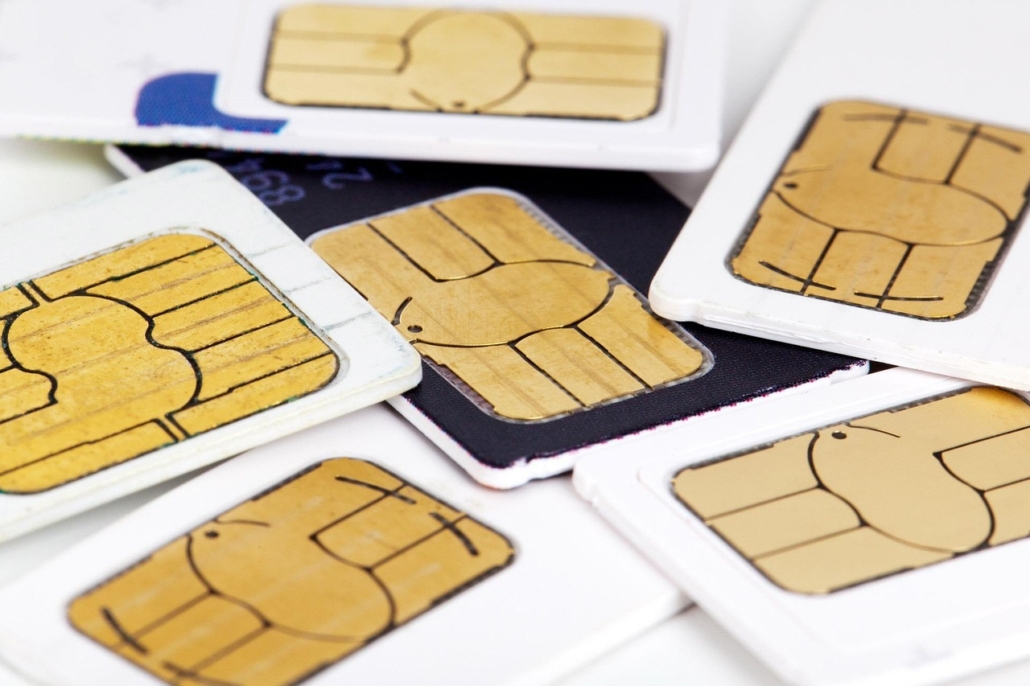
Fake and spam text messages often come from SIM farms—systems exploiting hundreds of SIM cards to send mass scam or phishing texts from random “wrong numbers”. These messages aim to trick recipients into clicking malicious links, sharing personal data, or transferring money for fraud and identity theft. The purpose is rapid financial gain or data harvesting, with criminals masking origins to avoid detection.

The U.S. Secret Service dismantled a vast hidden telecommunications network scattered across the New York tristate area in September 2025, right as world leaders were gathering for the U.N. General Assembly in Manhattan. This network included more than 300 SIM servers, which are made up of SIM boxes also known as SIM farms, and over 100,000 SIM cards, with the infrastructure spread across at least five sites in abandoned locations within a 35-mile radius of the United Nations headquarters.

Threat and Potential Damage

Investigators discovered that these devices could:

  • Disable cell towers across New York City, potentially blacking out cellular communication.
  • Overwhelm networks by sending up to 30 million text messages per minute. Network overload, when this is done maliciously as a cyberattack, is a Denial-of-Service (DoS) attack or, more commonly, a Distributed Denial-of-Service (DDoS) attack. These attacks flood a network or server with so much traffic that it cannot handle legitimate requests and becomes unavailable.
  • A SIM DoS can jam emergency communications, such as 911 calls, and disrupt police and EMS channels.
  • Mask encrypted communications between nation-state actors, criminal groups, and possibly terrorist entities.

Origin and Discovery

The network was exposed during a larger investigation into telephonic threats directed at senior U.S. government officials earlier in 2025. Forensic analysis of the seized equipment is ongoing, but early findings suggest coordinated communications between foreign governments and suspected criminals.

It was likely an IMSI catcher, or cell-site simulator, a device that mimics a legitimate cell phone tower was used in the discovery process. A SIM farm, acting like a swarm of mobile devices can’t be too difficult to detect if you’re looking for it. When a mobile device is in its vicinity, it tricks the phone (SIM farm) into connecting to the device instead of a real cell tower. Once connected, the IMSI catcher can “sniff out” and collect data from the device. This can include the device’s unique IMSI number, physical location, and in some cases, even the content of unencrypted communications like calls or text messages. The technology is often used by law enforcement, and “StingRay” is a well-known brand name for this type of device.

Security Response

Given the timing with the U.N. General Assembly, officials described this as a “well-funded, highly organized” operation with the potential for catastrophic disruption if activated. While there was no evidence of a direct plot targeting the General Assembly, the risk posed by the network made immediate action necessary.

Ongoing Investigation

Authorities from multiple agencies, including the Department of Homeland Security, the Department of Justice, the Office of the Director of National Intelligence, and NYPD, collaborated in the operation. Work continues to identify those behind the network and determine the full extent of its intended use.

This takedown marks one of the most significant preemptive interruptions of a telecommunications threat in American history, highlighting new forms of risk to the digital infrastructure that supports both daily life and emergency response in major urban centers.

A SIM farm is a system that uses a large number of SIM cards, often managed by devices known as SIM banks or SIM boxes, to send thousands or even millions of calls or text messages rapidly over mobile networks. These setups typically exploit telecom infrastructure by routing calls or messages through many SIM cards, reducing costs and making it hard to trace the origin of the traffic. SIM farms can be used for mass marketing, but they are most commonly associated with spam, scams, bypassing legal telecom channels, or fraud.

Are SIM Farms Illegal?

SIM farms are illegal in most jurisdictions, especially when used for large-scale fraud, scam calls, mass spam, or to evade telecommunications regulations. While some aspects of the technology (like SIM banks for legitimate bulk messaging) can have legal uses, operating systems that use hundreds or thousands of SIM cards to deliberately circumvent telecom rules typically violates the law and the terms of service of mobile operators. Enforcement actions and outright bans are being introduced in many countries to prevent their use.

Common Examples of SIM Farm Messages

Every day, consumers may receive various types of communications sent via SIM farms, typically designed to promote scams, phishing, or mass advertising. These unsolicited messages can appear highly convincing and are often sent in huge volumes using SIM farms.

  • “Congratulations! You’ve won a $500 Amazon gift card. Claim it here [Link].”
  • “ACTION REQUIRED. Please verify your Bank of America account information to avoid a hold on your account. Click here to confirm: [Link]”
  • “Get delivery updates on your USPS order [Number] here: [Link]”
  • “Your [account name] verification code is: 123456. If you did not request this, secure your account here: [phishing link]”
  • “IRS Notice: You have an outstanding tax issue. Immediate action is required to avoid penalties. Visit: [fake IRS website link]”
  • “Your electricity service will be disconnected due to non-payment. Pay now: [fake payment link]”
  • “URGENT: This is a final notice regarding an outstanding debt. Failure to pay will result in legal action. Contact us immediately at: [fake phone number] or visit: [suspicious link]”
  • “Insiders say [Cryptocurrency] is about to explode in value. Buy now while the price is still low: [scam cryptocurrency link]”

Typical Purposes of SIM Farm Messages

  • Promotion of fake prizes, lotteries, or refunds.
  • Bank and account phishing schemes seeking personal details.
  • Impersonating government agencies, utilities, or delivery services.
  • Spreading malware or phishing links.
  • Attempts to collect payment or sensitive personal data under false pretenses.

These messages are often sent at a massive scale and may appear to come from local or legitimate numbers, exploiting consumer trust and network vulnerabilities.

How to Protect Yourself From SIM Scams?

  • Do not click suspicious links.
  • Never reply to unknown numbers.
  • Block spam numbers on your device.
  • Use phone’s spam filter settings.
  • Enable multifactor authentication (MFA).
  • Keep devices and apps updated.
  • Verify messages via official channels.
  • Avoid sharing your number online unnecessarily.
  • Use antivirus or anti-malware for phones.

Don’t worry about it. Just delete it.

Robert Siciliano CSP, CSI, CITRMS is a security expert and private investigator with 30+ years experience, #1 Best Selling Amazon author of 5 books, and the architect of the CSI Protection certification; a Cyber Social Identity and Personal Protection security awareness training program. He is a frequent speaker and media commentator, and CEO of Safr.Me and Head Trainer at ProtectNowLLC.com.
Cybercriminals are Targeting US Businesses with Malicious USB Drives

The FBI released a warning for US businesses – about a cybercriminal group from Eastern Europe trying to hack into the networks of US companies by mailing these businesses USB drives with malicious code on them.

Cybercriminals are Targeting US Businesses with Malicious USB Drives

This cybercriminal group, known as FIN7, is based in Eastern Europe, and US officials believe that they are responsible for billions of dollars in both business and consumer losses in both the US and abroad. The Justice Department has blamed FIN7 for stealing millions of credit card numbers in 47 states, and the FBI has been on the group’s tail for years.

This highly organized and sophisticated group attempts to infiltrate corporate networks by employing a seemingly old-fashioned, yet remarkably effective, tactic: mailing physical USB drives containing malicious code directly to businesses.

One of the most dangerous threats is a “BadUSB” attack. Plugging in a random USB drive, whether found on the ground or received as a freebie at a conference, poses significant cybersecurity risks. This seemingly innocuous act can lead to severe consequences for your computer and personal or corporate data.

These aren’t just regular storage devices; their firmware has been reprogrammed to act as other devices, most commonly a keyboard. When plugged in, the BadUSB instantly mimics typing commands, often at superhuman speed, which can then download malware, install ransomware, steal data, or even grant remote control to attackers. It bypasses typical antivirus scans because it’s not a “file” being scanned; it’s a device behaving maliciously.

These attacks have been going on for decades, primarily targeting companies in the defense, transportation, finance and insurance sectors. The mailed USB drives are often disguised as legitimate deliveries, arriving via services like the U.S. Postal Service and UPS. Some packages pretend to be from the Department of Health and Human Services (HHS), while others mimic Amazon deliveries, complete with fake “thank you” letters and counterfeit gift cards.

When an unsuspecting employee plugs one of these malicious USB drives into a computer, the device immediately registers itself as a Human Interface Device (HID) keyboard, rather than a storage device. This clever trick allows it to bypass many traditional security measures that block removable storage. Once recognized as a keyboard, the USB drive automatically injects a series of preconfigured keystrokes. These commands then download and install additional malware onto the compromised system, granting the cybercriminals remote access.

FIN7’s ultimate goal is to gain a foothold within the victim’s network, escalate privileges, and then deploy ransomware by gaining back door access to achieve their objectives. The success of this method hinges on human curiosity and the deceptive nature of the packages, making it particularly dangerous in environments where employees might not be rigorously trained on physical media security.

The FBI emphasizes that even a non-administrative account compromise can lead to significant breaches, as the attackers can then conduct reconnaissance and move laterally within the network to gain access to more critical systems. This resurgence of physical media attacks highlights the evolving tactics of cybercriminals and the need for businesses to educate their employees on the dangers of plugging in any unsolicited external devices.

Steps To Protect Your Self and Your Company Data

Thankfully, there are a number of steps that you can take in order to protect yourself and company data. Here are some tips:

  • Don’t put any “free” or unknown USB drive into your computer, no matter what. If you find a USB drive, or you are given one from a stranger, you should give it to your IT department or other security personnel. Don’t even put it near your computer – even if you think you can see the owner of the drive.
  • You also want to take full advantage of any security features you have access to including strong passwords and encryption on your own USB drives. You also want to make sure that you are backing up any data on those drives in case they are lost.
  • Keep your business and personal USB drives in separate places. You shouldn’t use your personal USB drive in your work computer, and vice versa.
  • Don’t use Autorun on your computer. This feature causes some types of media, such as DVDs, CDs, and USB drive to automatically open when they are put into a drive. When you disable this feature, if you insert a USB drive that is infected into your PC, it won’t open, and you can prevent the code from being put on your device.
  • Use security software and make sure it Is updated. Use antivirus software, a firewall, and anti-spyware programs to make your computer as safe as possible. Also, make sure you update your computer with any updates or patches that come through automatically.

Robert Siciliano CSP, CSI, CITRMS is a security expert and private investigator with 30+ years experience, #1 Best Selling Amazon author of 5 books, and the architect of the CSI Protection certification; a Cyber Social Identity and Personal Protection security awareness training program. He is a frequent speaker and media commentator, and CEO of Safr.Me and Head Trainer at ProtectNowLLC.com.

Think Your AI Pal is Harmless? Think Again. (Your Data is at Risk!)

AI companion apps, including AI girlfriend apps, present a range of security and privacy dangers that users should be aware of. These risks stem primarily from the intimate and personal nature of the interactions, the vast amount of sensitive data collected, and the profit-driven models of many of these applications.

Robert and his cohost retired CIA Spy Peter Warmka, discuss artificial intelligence girlfriends on their latest The Security Guy and CIA Spy PodBroadcast:

Apple Podcasts

Spotify Podcasts

Here’s a breakdown of the key concerns:

Privacy Dangers:

  • Extensive Data Collection: AI companions are designed to learn about you to provide a more personalized experience. This means they collect a massive amount of personal data, including:
  • Conversational Content: Every word you type or speak to the AI is recorded. This can include highly sensitive information about your thoughts, feelings, relationships, health, financial situation, work, and more.
  • User Profile Information: Your IP address, location, phone number, log-on data, device information, browser cookies, and network activity are often captured.
  • Inferred Data: The AI can infer additional details about you based on your conversations, such as your emotional state, interests, preferences, and even vulnerabilities.
  • Data Storage and Retention: This vast amount of sensitive data is stored on company servers, often indefinitely. Even if you delete chats, the data may still be retained for training the AI models.
  • Sharing with Third Parties: Many AI companion apps, being for-profit enterprises, monetize user relationships. This often involves sharing user data with third parties for targeted advertising or with data brokers. A review of popular AI companion apps showed that a significant majority use data for tracking and may link user data with third-party data from other apps and websites.
  • Lack of Transparency: Privacy policies can be lengthy, complex, and difficult for users to understand, making it hard to give truly informed consent about how their data will be used. Some apps are not transparent about how their AI systems are designed or moderated.
  • Data Sovereignty and Compliance Risks: If an AI app stores data in different jurisdictions or has vague privacy terms, your data could be routed through servers in regions with less stringent regulations, increasing exposure to risks.
  • Re-identification of Anonymized Data: Even if data is purportedly anonymized, there’s always a risk that with enough contextual information, seemingly anonymous data can be de-anonymized.
  • Voice Data Misuse: If voice interaction is enabled, collected voice recordings could be misused or even used to create voice deepfakes.

Security Dangers:

  • Data Breaches: Any system that stores large amounts of sensitive data is a target for cybercriminals. If an AI companion app’s servers are compromised, all the personal and intimate data you’ve shared could be exposed, leading to:
  • Identity Theft: Attackers could use leaked personal information for identity theft.
  • Financial Loss: Sensitive financial details, if shared, could lead to financial fraud.
  • Reputational Damage: Highly personal and embarrassing information could be leaked, causing significant reputational harm.
  • Emotional Distress: The violation of privacy and potential exposure of intimate conversations can cause immense emotional distress.
  • Weak Security Practices: Free or low-cost AI apps, in particular, may lack enterprise-grade security and rigorous security testing, creating vulnerabilities for cybercriminals. This includes:
  • Insufficient Encryption: Data in transit and at rest may not be adequately encrypted, making it easier for adversaries to intercept sensitive information.
  • Software Vulnerabilities: Flaws in the app’s code or underlying infrastructure can be exploited by hackers to gain unauthorized access.
  • Insecure Data Storage: Inadequate security protocols for data storage (e.g., unencrypted backups) can leave data exposed.
  • Prompt Injection and Manipulation: Attackers can use cleverly crafted prompts to manipulate the AI into revealing unintended information or performing malicious actions. While AI developers implement safeguards, these are constantly evolving.
  • Malware and Ransomware Spread: A compromised chatbot could be used to spread malware or ransomware to users’ devices.
  • Impersonation and Repurposing: A chatbot could be hacked and repurposed by malicious actors, leading users to reveal private data to an attacker while believing they are interacting with the legitimate service.
  • Training Data Poisoning: Malicious data could be introduced into the AI’s training set, altering its behavior or responses to be harmful or biased.

Other Significant Risks (Beyond direct security/privacy breaches):

  • Emotional Dependency and Social Withdrawal: The constant availability, patience, and non-judgmental nature of AI companions can lead to users forming deep emotional attachments, potentially reducing time spent on genuine human interactions and contributing to feelings of loneliness and social withdrawal.
  • Unhealthy Relationship Attitudes: Interactions with AI companions lack real-world boundaries and consequences, which can confuse users about mutual respect, consent, and healthy relationship dynamics.
  • Exposure to Harmful Content: Despite filters, some AI companions have been reported to engage in or generate sexually suggestive or inappropriate content, and can even provide inaccurate or dangerous advice on sensitive topics like self-harm, drug use, or mental health. This risk is particularly pronounced for younger, vulnerable users.
  • Misinformation and Hallucinations: AI can sometimes “hallucinate” or provide inaccurate information, which can be dangerous if users rely on it for serious life decisions (e.g., medical, financial, or relationship advice).
  • Algorithmic Bias: AI systems can unintentionally reflect biases present in their training data, leading to stereotypical or unsettling replies.

What users can do to mitigate risks:

  • Be Mindful of Shared Information: Avoid disclosing highly sensitive or personal information that you wouldn’t want publicly exposed.
  • Read Privacy Policies: While often complex, try to understand how your data will be collected, stored, and used.
  • Adjust Privacy Settings: Opt out of data collection for model training or data sharing if the app offers these options.
  • Use Strong Security Practices: Create strong, unique passwords, enable two-factor authentication if available, and keep your device’s operating system updated.
  • Consider Local Processing: If available, choose apps that process AI on your device rather than sending all data to the cloud.
  • Be Skeptical of Advice: Do not rely on AI companions for critical advice on health, finance, or relationships. Always cross-check information with verified sources or human professionals.
  • Maintain Real-World Connections: Remember that AI companions are not a substitute for genuine human relationships.

How Loneliness Attracts Scammers

The significance of loneliness is, but cannot be underestimated. Lonelinessis a widespread global issue, affecting a significant portion of the population. While exact numbers vary depending on the study, methodology, and definition of loneliness, it is estimated that as much as 25% of all humanity experiences, loneliness, and a regular basis. That means there is a mega market for this type of product therefore this type of vulnerability. Here’s a general overview of what recent data indicates:

Global Statistics:

  • Approximately 33% of adults worldwide report experiencing feelings of loneliness.
  • Nearly one in four adults globally (around 24%) reported feeling “very lonely” or “fairly lonely” in a recent Meta-Gallup survey covering over 140 countries. This translates to more than a billion individuals.

United States Statistics:

  • In the U.S., about 20% of adults reported feeling lonely “a lot of the day yesterday” as of late 2024.
  • Other surveys suggest that around one in three Americans (33%) experience loneliness on a regular basis.
  • 30% of adults reported experiencing feelings of loneliness at least once a week in early 2024, with 10% experiencing it every day.

Loneliness by Age Group (a common trend observed globally):

  • Younger Adults (18-34/45 years old): This demographic often reports the highest rates of loneliness.
  • Generation Z (18-24/29): Studies frequently show Gen Z as the loneliest generation, with rates often around 53% to 79% reporting feelings of loneliness.
  • Millennials: Also report high levels of loneliness, with some studies indicating around 72%.
  • 30% of Americans aged 18-34 report feeling lonely every day or several times a week.
  • Middle-Aged Adults: Loneliness tends to decrease through middle adulthood.
  • Older Adults (65 and older): Contrary to popular belief, older adults often report lower levels of loneliness compared to younger age groups, with rates typically around 17%. This is often attributed to having more established social bonds. However, loneliness can see a slight increase again in the “oldest old” age group (e.g., over 80), particularly due to factors like loss of loved ones, health issues, and mobility limitations.

Other Factors Influencing Loneliness:

  • Marital Status: Single adults are nearly twice as likely to report feeling lonely compared to married adults.
  • Income: Lower-income individuals often experience higher rates of loneliness.
  • Race/Ethnicity: Some studies indicate higher loneliness rates among certain racial and ethnic minority groups.
  • Health: Individuals with poorer physical and mental health, or those with disabilities, are more likely to experience loneliness.
  • Technology: While technology can connect people, many also feel it contributes to loneliness due to superficial interactions and constant social comparison.

It’s important to remember that loneliness is a subjective experience, and these statistics represent self-reported feelings across diverse populations. The COVID-19 pandemic significantly impacted loneliness levels, with initial increases, though some recent reports suggest a decline from pandemic peaks. The U.S. Surgeon General has even declared loneliness a public health epidemic.

Lonely individuals, seeking connection, may overshare deeply personal information with AI companions. This sensitive data, often stored on insecure platforms, creates significant privacy risks, making users vulnerable to data breaches, manipulation, and targeted exploitation by companies or malicious actors.

Robert Siciliano CSP, CSI, CITRMS is a security expert and private investigator with 30+ years experience, #1 Best Selling Amazon author of 5 books, and the architect of the CSI Protection certification; a Cyber Social Identity and Personal Protection security awareness training program. He is a frequent speaker and media commentator, and CEO of Safr.Me and Head Trainer at ProtectNowLLC.com.
What is a Pass Key and Is Now the Time To Adopt Them?

I’m not convinced. Yet. However…

There has been recent news about a massive collection of leaked login credentials widely reported as 16 billion exposed credentials.\

The Ultimate Guide to Passwords, Password Managers, Two Factor and Passkeys

Here’s what’s important to understand about this:

It’s not a single new breach: Cybersecurity researchers, particularly Cybernews, have recently discovered approximately 30 exposed datasets that collectively contain about 16 billion compromised login credentials. This isn’t from one specific company being hacked right now. Instead, it’s a compilation of credentials that have been stolen over time through various data breaches, phishing scams, and infostealer malware, and then compiled into these datasets.

Duplicates are very likely: Since 16 billion is roughly double the amount of people on Earth, it’s highly probable that these datasets contain many duplicate entries and that individuals may have had credentials for multiple accounts leaked. It’s impossible to tell the exact number of unique people or accounts exposed.

Widespread impact: The leaked data reportedly includes login information for a wide range of popular platforms, including Google, Facebook, Apple, GitHub, Telegram, and even some government portals.

Ongoing threat: This compilation highlights the continued and pervasive threat of infostealer malware and the importance of strong cybersecurity practices.

While the exact number might be debated or slightly different across various reports, the core message is that an enormous amount of stolen login data is circulating online, posing a significant risk to individuals and organizations. Making matters worse, one report I saw stated that only 6% of those exposed credentials were unique, which means 94% were the same pass codes used across multiple accounts.

So what the heck is a Passkey?

A passkey is a modern, more secure, and convenient alternative to traditional passwords for signing into websites and applications. It’s designed to create a “passwordless” sign-in experience. Passkeys are a significant step towards a more secure and user-friendly online authentication future, widely supported by major tech companies like Apple, Google, and Microsoft.

Here’s a breakdown of what a passkey is and how it works:

What it is:

  • A digital credential: A passkey is a unique cryptographic credential tied to your user account and a specific website or application.
  • Replacement for passwords: Its primary purpose is to replace the need to remember and type complex passwords.
  • Built on strong cryptography: Passkeys utilize public-key cryptography (specifically the FIDO Alliance’s WebAuthn standard), making them highly resistant to common attacks like phishing, credential stuffing, and server breaches.
  • Device-linked: Your private passkey is stored securely on your device (e.g., smartphone, laptop, or a hardware security key).It never leaves your device.
  • User-friendly: Instead of typing a password, you authenticate using your device’s built-in security features, such as:
  • Biometrics: Fingerprint or facial recognition (e.g., Touch ID, Face ID, Android biometrics) PIN: Your device’s screen unlock PIN or pattern

How it works (simplified):

  1. Creation/Registration: When you create a passkey for an account, your device generates a unique pair of cryptographic keys:
  2. Private key: This is your actual “passkey” and is stored securely on your device (e.g., in a secure enclave, TPM, or a password manager).
  3. Public key: This key is sent to and stored by the website or application’s server. The private key never leaves your device, and the public key alone cannot be used to compromise your account.
  4. Signing In: When you want to sign in:
  5. The website/app sends a challenge (a random piece of data) to your device.
  6. Your device uses its private passkey to “sign” this challenge. This process requires you to unlock your device using your biometric (fingerprint/face) or PIN, proving that you are the legitimate owner of the device.
  7. The signed challenge (and not your private key) is sent back to the website/app.
  8. The website/app uses its stored public key to verify the signature. If it matches, it confirms your identity and grants you access.

Key Advantages of Passkeys:

Enhanced Security:

  • Phishing Resistant: Since passkeys are tied to the specific website and your device, you cannot be tricked into entering them on a fake site.
  • No Shared Secrets: Your actual private key is never transmitted or stored on the server, significantly reducing the risk of breaches.
  • Always Strong: Passkeys are cryptographically strong by design, eliminating the need for users to create and remember complex passwords.

Improved Convenience:

  • Passwordless Login: No more typing passwords.
  • Faster Sign-ins: Often a single tap or biometric scan is enough.
  • Seamless Cross-Device Syncing: Many passkeys can be synced across your devices within the same ecosystem (e.g., Apple, Google, Microsoft) or via third-party password managers, allowing you to use them on different devices without re-enrollment.
  • Better User Experience: Simplifies account creation and login processes.

Argument for: Adopting passkeys now significantly enhances security by eliminating phishing and credential theft vulnerabilities inherent in passwords. They offer a far more convenient user experience, simplifying logins with biometrics or PINs, leading to increased adoption and reduced support costs. Early adoption positions organizations for the future of online authentication.

Argument against: Passkeys aren’t universally supported across all websites, devices, and platforms, leading to potential user confusion and a fragmented experience. Account recovery can also be complex if a device is lost, and vendor lock-in remains a concern in some implementations. This lack of complete ubiquity might hinder a smooth transition for some users.

Operating System & Ecosystem Giants (who are driving much of the adoption):

  • Google: Fully deployed for Google Accounts, allowing users to sign in to their Google accounts with passkeys on Android, ChromeOS, and desktop browsers. They also encourage third-party developers to adopt passkeys for “Sign in with Google.”
  • Apple: Deeply integrated into iOS, macOS, and iCloud Keychain. Users can create and use passkeys for Apple ID and many third-party apps/websites on their Apple devices.
  • Microsoft: Rolling out passkey support for Microsoft consumer accounts (Outlook, OneDrive, etc.) and also supporting passkeys for enterprise environments through Azure AD and Windows Hello.
  • Samsung: Galaxy smartphones support fast and convenient logins through biometric authentication and FIDO protocols, including passkeys.

Major Consumer & Enterprise Companies (deploying passkeys):

  • Amazon: One of the largest e-commerce platforms to adopt passkeys.
  • PayPal: A global leader in online payments, emphasizing security against phishing.
  • TikTok: Supporting passkeys for seamless login for millions of users.
  • Adobe: Allowing passkey sign-in for their various creative cloud services.
  • eBay: Another major e-commerce player to add passkey support.
  • LinkedIn: Offering passkey authentication for professional networking.
  • Walmart, Target, Best Buy, Instacart: Major retailers and e-commerce services are implementing passkeys to improve customer experience and security.
  • Coinbase, Binance, Stripe: Leading cryptocurrency and payment processing platforms, where strong security is paramount.
  • Discord, Roblox, Nintendo, PlayStation (Sony Account): Popular gaming and social platforms.
  • Uber, KAYAK: Travel and ride-sharing services.
  • Zoho Corporation: Rolled out passkeys to its 100+ million customers across its suite of business applications.
  • Aflac: One of the first major insurance companies in the U.S. to adopt passkeys, seeing significant benefits in adoption and customer experience.

Password Managers (who are crucial for cross-platform passkey management):

  • 1Password: A leader in supporting and evangelizing passkeys, offering robust passkey management features.
  • Dashlane: Another prominent password manager that has been at the forefront of integrated passkey support.
  • Bitwarden, Proton Pass, Keeper, NordPass, RoboForm, Samsung Pass: Many other password managers are also integrating or have integrated passkey support.

If your password manager supports two-factor authentication and cross-platform passkey management, you’re likely ready for passkeys. Even without them, if you avoid reusing passwords and have two-factor authentication enabled, your security is already robust. For most users, the best approach to adopting passkeys is to implement them one account at a time to evaluate the user experience.

Robert Siciliano CSP, CSI, CITRMS is a security expert and private investigator with 30+ years experience, #1 Best Selling Amazon author of 5 books, and the architect of the CSI Protection certification; a Cyber Social Identity and Personal Protection security awareness training program. He is a frequent speaker and media commentator, and CEO of Safr.Me and Head Trainer at ProtectNowLLC.com.
Unseen Eyes: Protecting Your Privacy from Hidden Cameras on Business or Personal travel in Hotels, Rentals and Airbnb

Hidden Cameras: Paranoia or Preparedness?

It’s not paranoia to be concerned about hidden cameras in your private accommodations, whether it’s your apartment, a rental, or a hotel room. Paranoia is a mental health condition and shouldn’t be confused with taking proactive steps to ensure your personal security.

The reality is that millions of tiny pinhole cameras are manufactured annually, and there are individuals who unfortunately abuse this technology for voyeuristic purposes. Studies indicate that over half of people are worried about hidden cameras, and a significant percentage of Airbnb guests—between 5% and 10%—have actually discovered them.

A local news channel requested my comments regarding a landlord north of me who was secretly recording one of his tenants. In less than a couple of weeks that video has generated over 100,000 views! Too bad it’s about an icky old man praying upon a young woman. Here it is:

The pervasive problem of hidden cameras in rental accommodations

In an age where smart technology is increasingly integrated into our living spaces, a disturbing trend has emerged: the surreptitious placement of hidden cameras in rental properties like Airbnbs, hotels, and even long-term apartment rentals. While the vast majority of hosts and landlords are trustworthy, a concerning number of incidents have revealed individuals exploiting readily available miniature cameras for voyeuristic or malicious purposes. These devices, often disguised as common household objects like smoke detectors, alarm clocks, USB chargers, or even power outlets, are designed to be inconspicuous, making their detection challenging for the unsuspecting guest or tenant.

The implications of such privacy breaches are profound. Guests may be recorded without their knowledge or consent in intimate settings such as bedrooms and bathrooms, leading to severe emotional distress, feelings of violation, and potential blackmail. Beyond the immediate psychological impact, the unauthorized capture of private moments raises serious legal and ethical questions regarding consent, data privacy, and the responsibilities of property owners. As the technology becomes smaller, cheaper, and more accessible, the risk of encountering these hidden devices continues to grow, necessitating proactive measures for personal protection.

Top Ten Tips for Mitigating Secret Hidden Cameras in Airbnbs, Hotels, and Apartment Rentals

Protecting your privacy in rental accommodations requires a combination of awareness, vigilance, and basic investigative techniques. Here are ten essential tips to help you detect and mitigate the risk of hidden cameras:

Conduct a Thorough Visual Inspection:

Focus on common concealment points: Pay close attention to smoke detectors, alarm clocks, power outlets, USB chargers, tissue boxes, picture frames, lamps, air vents, and even decorative items.

Look for misplaced or unusual items: Anything that seems out of place or oddly positioned could be a red flag.

Check for tiny pinholes or lenses: Hidden cameras often have a very small lens that can be difficult to spot. Use a flashlight to help illuminate potential reflections.

Scan for Infrared (IR) Lights: Many hidden cameras use IR for night vision. Turn off all the lights in the room, draw the curtains, and use your phone’s camera (or a dedicated IR detector) to scan for small, faint glowing lights that are invisible to the naked eye. Front-facing cameras on some smartphones may work better for this than rear-facing ones.

Utilize a Flashlight and Phone Camera Lens Glare Test: In a darkened room, shine a bright flashlight around, especially at suspicious objects. While doing so, look through your phone’s camera. If you see a tiny, bright reflection, it could be a camera lens. Move your flashlight around to confirm the reflection follows a single point.

Check Wi-Fi Networks for Suspicious Devices: Many modern hidden cameras are IP-based and connect to Wi-Fi. While you can’t see all connected devices, some network scanning apps (like Fing or Network Analyzer) can show you a list of devices connected to the local network and their IP addresses. Look for unfamiliar device names or types (e.g., “IP Camera,” “Unknown Device”). This requires you to be connected to the rental’s Wi-Fi.

Listen for Faint Buzzing or Clicking Sounds: Some older or cheaper hidden cameras might emit a very faint buzzing or clicking sound, especially in a quiet room. Turn off all electronics and listen carefully.

Inspect Electrical Outlets and USB Ports: Hidden cameras are frequently disguised as USB chargers or embedded within electrical outlets. Check if these devices are unusually bulky, have extra holes, or feel loose. Unplug any suspicious chargers or power banks that aren’t yours.

Run a Privacy/Bug Sweeping App (with Caution):There are apps available that claim to detect hidden cameras or bugs by scanning for specific frequencies or patterns. While their effectiveness can vary, they might offer an additional layer of detection. Read reviews carefully before downloading and relying on them.

Cover Suspicious Devices When Not in Use: If you find something suspicious but aren’t entirely sure it’s a camera, or if you can’t remove it, simply cover it with a towel, clothing, or tape. This will block its view if it is indeed a camera.

Trust Your Gut Feeling: If something feels off or makes you uncomfortable, investigate further. Your intuition can be a powerful tool.

Document and Report: If you discover a hidden camera, do not tamper with it or remove it without documentation. Take photos and videos of the device and its location. Immediately contact the platform (Airbnb, hotel management) and local law enforcement. Do not confront the host or landlord directly.

So, when staying under another roof, where you don’t have control, remember that awareness and these 10 tips are your best defense. Stay proactive, trust your instincts, and ensure your peace of mind. Your privacy matters, and with these strategies, you’re empowered to protect it against unseen intrusions.

See Helping Survivors, a proud partner of RAINN, dedicated to assisting individuals who have experienced sexual assault or abuse, including those impacted by security failures in short-term rentals.

Airbnb Security and Sexual Assault – helpingsurvivors.org/airbnb-sexual-assault/

Airbnb Hidden Cameras – helpingsurvivors.org/airbnb-sexual-assault/hidden-camera-lawsuit/ 

Robert Siciliano CSP, CSI, CITRMS is a security expert and private investigator with 30+ years experience, #1 Best Selling Amazon author of 5 books, and the architect of the CSI Protection certification; a Cyber Social Identity and Personal Protection security awareness training program. He is a frequent speaker and media commentator, and CEO of Safr.Me and Head Trainer at ProtectNowLLC.com.

Digital Espionage: Your Phone’s Secret Life and Your Crumbling Security and Privacy

While offering significant utility, mobile phones inherently present privacy and security vulnerabilities due to their persistent network connections and the extensive personal data they store. Operating systems like Android and iOS, along with their applications, gather substantial user information, including location data, browsing activity, and personal details. This collected data risks misuse, ranging from targeted advertising to more severe outcomes like targeted attacks involving SIM swapping, potentially leading to unauthorized access to banking, credit card information, and cryptocurrency wallets.

Generally, securing your device with a password and maintaining updated mobile applications and operating system can mitigate most prevalent risks. However, further measures can and should be taken to enhance your awareness and reduce specific vulnerabilities.

Threats at a glance:

Vulnerability to Attacks:

  • Mobile devices are susceptible to malware, phishing, and other cyberattacks in the same way, PCs and laptops are.
  • Weak app passwords, and unsecured Wi-Fi, increase these risks.
  • Operating system and app vulnerabilities are found regularly, and if users do not update their devices, they become very vulnerable.

Location Tracking:

  • GPS and other location-tracking technologies can reveal sensitive information about your movements.
  • This data can be exploited by malicious actors or used for unwanted surveillance.

App Permissions:

  • Many apps ask for access to data that is not needed for the app to function. This can lead to unwanted data collection.

Significant Mobile Phone Risks

Zero Day Attack. A zero-day attack exploits unknown, undisclosed software vulnerabilities before a patch is available, leaving systems defenseless until the flaw is discovered and fixed.

Sophisticated Spyware (Pegasus). This advanced spyware, which often utilizes the zero day attack methodology, was built for targeted attacks on high-value individuals and infects iPhones via phishing links, monitoring cameras, microphones, and encrypted apps (e.g., WhatsApp) to steal passwords and messages. Sophisticated hackers use undisclosed iOS and Android flaws to install invisible malware via texts or links, often targeting politicians, celebrities, journalists, activists, or executives.

SIM Swapping. SIM swapping is hijacking a phone number by transferring it to a new SIM set up by a criminal. This process usually involves duping the mobile phone company or utilizing in a nefarious insider, enabling them to intercept calls and texts for account access.

Phishing and Social Engineering. Attackers use fake links, messages, or apps to trick users into installing malware or revealing credentials

Insecure WiFi Networks. Public networks expose Mobile phones to man-in-the-middle attacks, risking data interception

iMessage/FaceTime Vulnerabilities. Maliciously crafted messages or files can exploit auto-loading media in iMessage/FaceTime, enabling zero-click attacks without user interaction

Microphone and Camera Access. When you download an app, it might request these permissions. If granted, the app can potentially record unauthorized audio or video.

iPhone’s AirDrop Vulnerabilities. While convenient, AirDrop has presented some notable security and privacy vulnerabilities.

Key Mitigation Strategies:

Pegasus spyware is exceptionally sophisticated, making it very difficult to completely eliminate the risk. However, there are several steps individuals and organizations can take to significantly reduce their vulnerability from all mobile risks:

Keep Devices Updated: Regularly installing the latest operating system and application updates is crucial. These updates often include security patches that address known vulnerabilities.

Practice Strong Digital Hygiene: Every time you get a SMS text message, an email, or an iMessage be aware of the motivation is behind it. In other words, avoid clicking on suspicious links or opening attachments from unknown sources. The easiest attack vector into your phone begins with you clicking links, downloading files or visiting websites that are malicious.

Reboot Devices Regularly: Research indicates that regular device reboots can disrupt spyware’s ability to function and often prompts critical system updates.

Prevent SIM Swapping: To prevent SIM swapping, use strong account security, never using the same passcode twice, enable two-factor authentication for your mobile account and for your email account, and be wary of suspicious requests for personal information. Contact your carrier for extra security measures that may involve implementing knowledge base authentication questions.

Use Alternative Browsers: Using browsers other than the default ones, such as Firefox Focus or Brave can sometimes provide an extra layer of protection.

Use a VPN: A Virtual Private Network (VPN) can encrypt your Wi-Fi internet traffic, making it more difficult for attackers to intercept your data.

Anti Virus Software: iPhones don’t have the option of downloading or installing antivirus software, but they do have “Lockdown Mode”. For maximum defense against advanced spyware, activate Lockdown Mode. Find Lockdown Mode within your Privacy & Security settings if you believe you’re at high risk. Androids do need and have the ability to download anti-virus, available at the Google Play store.

Be Mindful of App Permissions: Carefully review the permissions requested by apps before installing them.

Microphone and Camera Restrictions: Enhance your privacy by reviewing and restricting app access to your microphone and camera. Find these settings under Privacy & Security.

Password management: Your mobile phone must be password protected. Every app should have a different password, never using the same passcode twice. Utilizing a password management software is the only way to ensure you’ll have a different pass code across each account.

AirDrop Protections: Unwanted File Transfers: Depending on your AirDrop settings (“Everyone,” “Contacts Only,” or “Receiving Off”), you might receive unwanted file transfer requests from strangers.

  • While you can decline these requests, the potential for receiving them can be a nuisance, alarming, and in some cases a potential vector for malicious files.
  • Adjusting your AirDrop settings to “Contacts Only” or disabling it entirely when not in use can significantly reduce your risk. It is also important to never accept files from people that you do not know.

Location/GPS Tracking: For better privacy, disable precise location tracking. In Location Services settings, switch app permissions from ‘Always’ to ‘While Using’.

Key Considerations:

Spyware targets zero-day exploits, implying inherent risk despite precautions. Regularly updating mobile apps and the operating system offers significant defense.

To reiterate, lacking a device password invites unauthorized access. As often highlighted, a lost or stolen phone grants complete access to personal data – indeed, everything.

Implementing these practices allows individuals and organizations to considerably lower their susceptibility to common weaknesses and advanced spyware. Recognizing these threats and adopting protective measures empowers consumers to substantially improve their privacy and security.

Robert Siciliano CSP, CSI, CITRMS is a security expert and private investigator with 30+ years experience, #1 Best Selling Amazon author of 5 books, and the architect of the CSI Protection certification; a Cyber Social Identity and Personal Protection security awareness training program. He is a frequent speaker and media commentator, and CEO of Safr.Me and Head Trainer at ProtectNowLLC.com.

Preying on the Lonely: AI Enhances the Pig Butchering Epidemic

I just finished speaking to a room of 550 seniors. Two of them had already lost a staggering $600,000 to this scam. It’s heartbreaking. And it’s happening right now. If we don’t act, this could become the most devastating scam of the next decade.

This scam’s insidious nature lies in its masterful exploitation of the fundamental human vulnerability of loneliness, replacing that ache with the scammer’s manipulative influence.

Alarmingly, a significant portion of the population – 20 to 30% of all people – experience regular feelings of isolation. This widespread vulnerability creates a massive and readily targeted market for malicious actors seeking to manipulate and defraud. Understanding this emotional predation is crucial to comprehending the scam’s effectiveness and the profound harm it inflicts.

Artificial intelligence now amplifies this manipulation by creating hyper-realistic deepfakes, automating personalized and persuasive messaging, and analyzing vulnerabilities at scale for targeted exploitation. Lonely humans don’t stand a chance.

Did you know an estimated $85 trillion wealth transfer is currently underway? The baby boomers and the Greatest Generation, having understood and benefited from compound interest, possess significant wealth destined for Gen X, Y, and Millennials. The crucial question is: how much of this inheritance will remain after the relentless onslaught of sophisticated scams targeting these elder generations?

The Long Con

Pig butchering is a sophisticated, long-term financial scam that blends elements of romance fraud, catfishing, and investment schemes-most commonly involving cryptocurrency. The term comes from the analogy of “fattening up” a pig before slaughter: scammers spend weeks or months gaining a victim’s trust, encouraging them to invest increasing sums of money, before ultimately stealing all the funds and disappearing. These scams are highly organized, often run by criminal syndicates, and frequently involve human trafficking, with perpetrators themselves being forced laborers in scam “fraud factories”.

My Pig Butcherer

Over the past month, my interactions with a “pig butcher” named “Isla” have revealed a disturbing pattern. While “Isla” uses the image of a Russian model (identified through reverse facial recognition), the communication likely originates from a criminal syndicate in Thailand. Tragically, the young woman I’ve interacted with via WhatsApp video calls is likely a victim of human trafficking herself.

Our daily exchanges, occurring 6 to 8 times, begin with morning greetings and mundane details of her breakfast and daily plans. Throughout the day, she reaches out with expressions of care and concern for my well-being, inquiring about my health and encouraging self-care.

She shares seemingly ordinary photos of her daily life – yoga, cleaning, grocery shopping, and occasional outings with “friends” – and consistently wishes me goodnight. This constant, gentle attention cultivates a false sense of warmth and welcome, prioritizing the establishment of trust. The scammers’ objective appears to be fostering a deep sense of reliance and emotional dependency in the victim.

For someone experiencing loneliness, this carefully crafted online persona and the consistent engagement are designed to alleviate those feelings, replacing them with “Isla’s” manufactured care and attention. This gradual erosion of emotional defenses is the insidious mechanism by which pig butchering scams gain the unwavering trust needed to ultimately manipulate victims into draining their financial accounts.

We Are Programmed to Be Lonely

In human evolution, loneliness likely emerged as a survival mechanism, akin to hunger or pain, signaling a threat to our vital social bonds. Humans then and now depend on group cohesion for protection, resources, and reproduction. The pain of loneliness motivates individuals to seek connection, ensuring survival and gene propagation.

However, in modern society, this deeply ingrained need can become a source of immense suffering when social connections are lacking. Loneliness is linked to increased risks of depression, anxiety, cardiovascular disease, and even premature death, highlighting its profound impact on well-being.

Loneliness has been described as “a cancer of the mind”. Globally, studies indicate that around one in four adults report experiencing loneliness regularly.

These statistics underscore the widespread nature of this painful human experience. When the pig butcher enters the lonely person’s life, the victim is already starving, and in immense pain, and as long as the pig butcher “feeds” the victim and removes that pain, they win.

How the Scam Works

Initial Contact and Relationship Building

  • The scam typically begins with unsolicited contact. Scammers may reach out via “wrong number” texts, social media, dating apps, or messaging platforms.
  • They create fake online personas, often using stolen photos and fabricated stories that convey wealth, success, or a glamorous lifestyle.
  • The scammer initiates friendly, sometimes flirtatious, conversations, gradually building trust and emotional connection. This stage can last weeks or even months, with the scammer maintaining constant contact, sharing personal stories, and sometimes feigning romantic interest.

Investment Pitch and Manipulation

  • Once trust is established, the scammer introduces the idea of investing, typically in cryptocurrency, foreign exchange, or gold markets.
  • The scammer claims to have insider knowledge, special connections, or expertise in lucrative markets. They may show fake screenshots of profits, introduce victims to fraudulent apps or websites, and sometimes allow small, fake withdrawals to build credibility.
  • Victims are encouraged to invest small amounts at first, but as they see (faked) returns, they’re pressured to invest more, sometimes draining savings, retirement funds, or even borrowing money.
  • Throughout, scammers use urgency (“act now or miss out”), secrecy (“don’t tell anyone, this is exclusive”), and isolation tactics to keep the victim engaged and prevent outside intervention.

The “Slaughter”

  • Eventually, when the scammer believes the victim can’t or won’t invest more, or if the victim tries to withdraw a significant sum, the scammer invents obstacles-such as sudden “taxes” or “fees”-requiring further payment.
  • When the victim refuses or runs out of money, the scammer cuts off all contact, deletes their online presence, and the fraudulent investment platform vanishes.
  • Because transactions are often in cryptocurrency, tracing or recovering funds is nearly impossible.

Who Are the Victims?

Pig butchering scams target a wide range of individuals, regardless of age, gender, or background. However, certain groups are more vulnerable:

  • Older adults: Those who may be lonely, less tech-savvy, or seeking companionship are frequent targets, especially through romance angles.
  • People seeking relationships online: Users of dating apps or social media are prime targets due to the prevalence of catfishing tactics.
  • Individuals interested in investing: Anyone expressing interest in cryptocurrency or investment opportunities online may be approached.
  • Emotionally or financially vulnerable individuals: Those experiencing recent life changes (divorce, bereavement, job loss) may be more susceptible to manipulation.

Notably, victims come from all walks of life, including professionals, retirees, and even those with prior investment experience. Scammers are highly skilled at psychological manipulation, making anyone a potential target.

How to Protect Yourself

The stark reality is that individuals grappling with the pain of loneliness may be particularly vulnerable and less equipped to recognize the subtle red flags of this scam. Their yearning for connection can override their critical judgment, making them susceptible to victimization. This underscores a crucial point: the key to combating this crime lies in proactive intervention by those around potentially vulnerable individuals. We must be vigilant, recognize the signs of loneliness in our loved ones, and step in to offer support and guidance before they become targets.

Recognize the Red Flags

  • Unsolicited messages from strangers, especially “wrong number” texts or social media contacts.
  • Rapid attempts to move conversations to private messaging apps (WhatsApp, Telegram).
  • Reluctance to video call, provide verifiable details, or meet in person.
  • Conversations that quickly pivot to investment opportunities, especially those promising high, guaranteed returns.
  • Investment platforms with URLs that don’t match well-known exchanges, or apps that trigger security warnings.
  • Difficulty withdrawing funds, sudden “fees,” or requests for additional payments to access your money.

Best Practices for Prevention

  • Never send money, trade, or invest based on advice from someone you’ve only met online.
  • Don’t share personal or financial information with strangers, no matter how trustworthy they seem.
  • Be skeptical of any investment promising high or guaranteed returns-if it sounds too good to be true, it almost certainly is.
  • Verify the legitimacy of investment platforms through official financial regulators before investing.
  • Consult with a trusted financial advisor or friend before making significant investments, especially if pressured to keep the opportunity secret.
  • Don’t respond to unsolicited messages from unknown contacts. Even replying to say “wrong number” can open the door to manipulation.
  • If you suspect you’re being targeted, cease communication immediately and report the incident to authorities (FTC, FBI, IC3, or local police).

Conclusion

Pig butchering scams are among the most damaging and insidious online frauds today, combining emotional manipulation with sophisticated financial deception. By understanding how these scams operate, recognizing their warning signs, and maintaining healthy skepticism toward unsolicited investment opportunities, individuals can significantly reduce their risk of falling victim to this “super scam”. If you or someone you know is targeted, act quickly-reporting early may help limit losses and prevent further victimization.

Robert Siciliano CSP, CSI, CITRMS is a security expert and private investigator with 30+ years experience, #1 Best Selling Amazon author of 5 books, and the architect of the CSI Protection certification; a Cyber Social Identity and Personal Protection security awareness training program. He is a frequent speaker and media commentator, and CEO of Safr.Me and Head Trainer at ProtectNowLLC.com.