Here’s Why You Need Identity, Privacy, and Device Protection
Our philosophy has always been “all security is personal”. So, whether you are a front line administrator, a CISO, or a CEO, the security of your organization begins with you and your person. If you don’t have your own personal security in order, how do you expect your business data to be secured? It starts with you.
 People are often anxious about the security of their personal information and online accounts. Cybercriminals are finding new ways to invade your privacy which is why you need comprehensive protection to keep you safe online.
Here are some protection and privacy best practices that you can use to keep your identity and sensitive information away from prying eyes and restore your faith in technology.
Device Protection
Device protection refers to the measures you take to protect your hardware or physical devices from intruders and potentially harmful software, such as malware, adware, and viruses.
Protect Your Hardware
This may sound simplistic, but knowing where your smartphones, computers, iPads, and gaming consoles are and never allowing people you don’t know to use them are the first steps in protecting them.
Ensure that you protect your devices with a password to ensure that your photos, banking apps, and text messages stored on them are inaccessible if you lose your phone at a concert or leave your tablet in a restaurant. You’d be amazed at how many people don’t have a password in their mobile phone.
Back Up
It’s also a good idea to back up your files regularly so that your images, videos, and documents are lost if your laptop / phone crashes or is stolen. Use a combination of Google, Apple, online backup services and local external hard drives, and sync software.
Protection Against Malicious Software by Updating
To keep your device safe, you’ll also have to protect it from malicious threats. There are many ways for malware and viruses to get onto your devices, including phishing scams, suspicious websites, questionable downloads, and clicking on advertisements.
When browsing sites that seem unreliable, use caution, and apply common sense when clicking on links.
Updating operating systems, browser, and various software programs, is necessary to keep your data and devices secure. These updates are for functionality purposes, but more often are critical for security updates, when and where at vulnerabilities are discovered by researchers.
Privacy Protection
Protecting your privacy involves preventing advertisers, fraudsters, and other unscrupulous organizations from obtaining access to the information you’d prefer to keep private.
It only takes a few careful modifications to your regular browsing, emailing, and social media activities to increase your internet privacy. Just be thoughtful about where you’re going, what you’re doing, and what personal or sensitive information you may be providing.
Limit What You Share on Social Media
Consider your usage of social media. Do you upload pictures containing information that could be used to identify you? Examples of information that you shouldn’t share online include your:
- Full name
- Birthday
- Physical address
- Current location
If your profile is freely accessible and anyone can view it, you might want to think about limiting what you post online. Sadly, although your loved ones may like reading your status posts, cybercriminals enjoy them even more.
Fraudsters can learn enough about you in just a few minutes of spying to pass themselves off as you or to target you. Restrict the information you post on social media and restrict the number of people you follow and befriend to those you actually know.
In the end, be thoughtful about what you post, and how a scammer might use it against you, your family, or your business.
Use a VPN
Connecting to a virtual private network (VPN) is another great way to protect your online privacy. By encrypting your connection and keeping your location hidden, a VPN enables you to browse the internet anonymously.
Protecting your privacy with a VPN is essential when using public Wi-Fi at a library, restaurant, or coffee shop.
This is because cyber criminals typically wait around unprotected Wi-Fi networks to spy on users making online purchases or paying bills to gain access to their login information.
Invest in Antivirus Software
Spyware can also threaten your online privacy. Adware, for example, can be used to spy on your online activity to help third parties learn more about your interests and preferences and target you with online ads.
One of the best ways to block spyware is by installing a reliable antivirus application to help you identify and remove malicious software. A reliable antivirus software application to help detect, identify, and remove malware and viruses that could pose a threat to your online security. A paid subscription has multiple layers of protection versus a free antivirus.
Identity Protection
Another type of fraudulent activity to look out for is identity theft. Each time identity theft occurs, dealing with the repercussions can be challenging and may even have an impact on your finances, credit rating, and future ability to obtain loans, credit cards, or mortgages.
Protecting your personal information with care is one approach to keeping your identity safe online. Never provide anyone your Social Security Number via email unless it is absolutely necessary, and you have verified the sender’s identity.
Investing in identity security services that monitors the dark web and notifies you of any suspicious activity that might point to identity theft is a good idea.
Consider getting a credit freeze which locks on your credit report and prevent unauthorized counseling, opened in your name.
Here are some examples of identity theft:
1. Forging an Identity
The most frequent form of identity theft is when a thief takes a victim’s Social Security number and uses it to create a new false identity.
2. Creating New Accounts Using Someone Else’s Credentials
When a scammer successfully obtains financial data and personally identifiable information from a user, they can open new accounts such as utility accounts, credit cards, and more using the victim’s good credit rating.
3. Taking Over Someone Else’s Account
Account takeover occurs when a fraudster takes the victim’s account login information and adds themselves as authorized parties, giving them access to the victim’s banking facilities.
Fortunately, this type of fraudulent activity is steadily decreasing due to the widespread use of EMV chip readers.
4. Medical Identity Theft
Medical identity theft occurs when fraudsters pose as patients to access certain prescribed drugs and have their medical care covered by the victim.
5. Corporate Identity Theft
Corporate identity fraud occurs when a criminal tries to issue new lines of credit in the name of a company, sends clients fake bills, and then takes the payments themselves. This type of identity theft is most common in small businesses.
A cybercriminal may still manage to obtain your personally identifiable information even when you follow all the rules.
When a security breach occurs at an establishment with your personal information, you’ll need to find another way to keep your information and banking accounts safe.
Protect Yourself
Considering how many ways there are to target users online, it should come as no surprise that many are uneasy about their safety when surfing the net. Fortunately, you can safeguard your devices, protect your identity, and keep your browsing history away from prying eyes by installing reliable antivirus software.
Keep up with the latest developments, and if a corporation that stores your information is the target of a cyberattack, take swift action to protect your identity and safeguard your account.
 In addition to LinkedIn, the CSI Cyber Security Newsletter is available via email subscription, with past issues posted to the
  There are some ways to determine if a message is a scam. First, your Apple ID isn’t going to expire, ever. Apple will occasionally request you log into your account, they will occasionally lock your account, and they will occasionally make things difficult because well, they are Apple and they and you are a big target. As long as you are not responding to and clicking links in text messages or emails then you aren’t going into the scammers rabbit hole. Only engage in Apple ID requests on your Apple device in the settings menu or in your browser preferably on a laptop or desktop when logging directly into Apple’s website.
 According to the U.S. Federal Trade Commission, in 2020, there were about 2.1 million fraud reports, and many of these were for the purpose of stealing another person’s identity.
 Check Your Passwords – Every online account you have should have a different password. Never use the same password for more than one account. You can easily fix this issue by using a password manager. Also, don’t use specific words/phrases or keyboard sequences when creating passwords. A password manager can even generate passwords for you.
 These crooks violate their trust and take advantage of their ignorance of the online world. People over 50 also tend to have more money and savings including retirement funds.

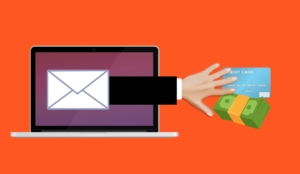 You might be wondering how you can become a victim of an identity thief just by filing your taxes. There are a couple of ways scammers do this. First, the thief will use your Social Security number to file taxes, but plug in their mailing address and then when your refund comes around, they take your refund.
 There has been a lot of talk about fake news since the 2016 presidential election, and a lot of controversy from those who spread fake stories for the purpose of influencing hearts and minds and of course the outcome of the election. This is dangerous for dozens of reasons, many of which threaten our democracy and in many cases can lead to people getting killed which has happened many times this year.