Avoiding Online Dating Romance Scams
Not too long ago, I heard from a friend, and he told me his mom was scammed. I was immediately intrigued. He goes on to tell me that since his dad died last year, his mom had signed up for online dating. My friend told his mom that online dating can be dangerous, but she blew it off. Soon, she met a man. He was a Sergeant in the US military and stationed in Afghanistan. They exchanged a lot of messages, and soon became close. One day, she got a message from him saying that he had found a large sum of money and he needed help getting it back to the US…and in only three months, he scammed her out of $242,000. Then…he disappeared.
 This is only one of the thousands of stories out there. Scammers know that people looking for love, especially women, can be more vulnerable than others. Another guy I know of was meeting women on social media. He was charming them after sending them messages via their inbox, and ultimately tricking them into giving up their personal info. With this, the guy was able to open new lines of credit in the names of his victims.
Preventing Romance Scams
Here are some tips to stay safe if you are going to date online:
- Be suspicious of anyone who tries to impress you with romantic or statements that seem cliché.
- Once they start talking love and marriage and achy breaky hearts and wanting to be with you and I love you this and I love you that, chances are it’s a scammer.
- Remember, women can be scammers, too.
- Be wary if the guy you met online keeps showering you with too many complements. He’s trying to be charming but might not have the best of intentions.
- If you meet someone on a dating site, and they immediately want to exchange numbers after the first message, be cautious.
- If someone you are newly dating asks for money, run.
- If they want to come visit you, but then ask you to pay, it’s probably a scam.
- Don’t talk about how much money you make or have. If he or she keeps asking, tell them you are on a very tight budget.
Who are these scammers?
Well, they might be part of scamming rings, or they might be working on their own. They are probably from a foreign country, and they almost always portray that they have some type of prestigious or exotic job, and in some way, this job is often connected to the scam. If the person says that they have a normal job, don’t get too comfortable. They still could be a scammer. They then will make up an illness or an injury and tell you that they need money.
Protecting Yourself
Now that you have read this, you should know how to protect yourself from these types of scams. If you don’t, read this article again. Finally, here is one more trick. Right click on the person’s photo, and then click “Search Google for this Image.” If you see the image on another person’s Facebook profile, or if it’s a stock image, you should run for the hills.
None of this is difficult to understand, and it’s all common sense. But, as stated before, common sense can go right out the window when romance is concerned. So, try to have some smarts as you begin a relationship with anyone. Ask questions, don’t take anything at face value, and most of all, share this post to help other people become aware of these scams.
Written by Robert Siciliano, CEO of Credit Parent, Head of Training & Security Awareness Expert at Protect Now, #1 Best Selling Amazon author, Media Personality & Architect of CSI Protection Certification.
 On top of this, any of these devices can be lost, misplaced, or stolen. Since its extremely likely that your staff are using these devices for their work, think about all of the information that could be on there about your company…and it happens because Joe in accounting left his cell phone on the counter at a local coffee shop, and a hacker picked it up.
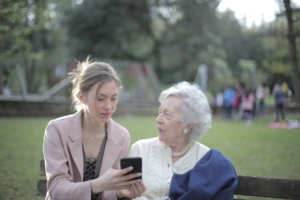 These crooks violate their trust and take advantage of their ignorance of the online world. People over 50 also tend to have more money and savings including retirement funds.
 Most people believe that Uber does thorough background checks on its drivers, but that’s not totally the case. Recently, there have been a number of cases where Uber drivers, who have been accused of crimes when on the job, actually have a record and several run-ins with the cops.
 None of us believe that we will be hacked, but we have seen over and over again that it is possible. Even the biggest companies out there have been hacked, and a small company is even more at risk of this. Add the use of a program called Remote Desktop offered by Microsoft or Google Chrome or many other third-party remote access programs, and you need to be aware of some things.
 It is popular for ICO’s to be used as an early-stage investment form. So, instead of buying shares, investors buy digital tokens. However, the companies that sell these ICOs don’t have any product to give investors except a whitepaper. This whitepaper tells them how things could theoretically work, the investment scheme, but it seems, it doesn’t always happen that way.
 Since people have been losing their jobs, searches for terms like “laid off,” “unemployment benefits,” and “unemployed” have skyrocketed. Though some people are finding legitimate search results, others are falling for sites that are scams, and Google is allowing these sites to stay.
 You definitely don’t want anyone taking control of your screen or sharing information with the group. Thankfully, you can restrict this by controlling screen sharing.
  Known as vault apps, since they serve as a vault for storage, some examples are Ky-Calc, Calculator Percent, and Calculator Vault. When you open any of these, it looks like a calculator…you can even use them as a calculator. However, when a secret code is entered, the user can store “secrets.” Consider Ky-Calc. it has a folder for image storage, a secret internet browser, and even keeps a separate contact list.